 DirectLV.comLOW VOLTAGE DONE RIGHTDirectLV.comLOW VOLTAGE DONE RIGHT
On-site IT and computer networking for offices, homes, and small businesses. We set up and troubleshoot workstations, Wi-Fi, routers, switches, servers, printers, storage, backups, and the cabling that connects them.

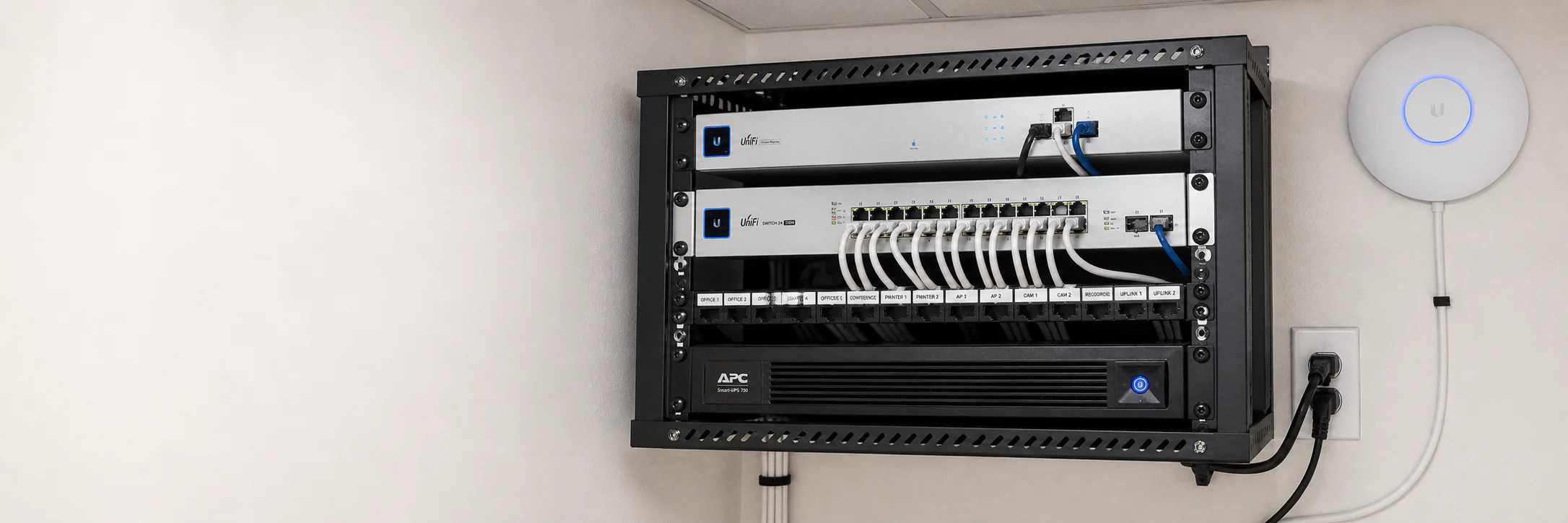
On-site IT and computer networking for offices, homes, and small businesses. We set up and troubleshoot workstations, Wi-Fi, routers, switches, servers, printers, storage, backups, and the cabling that connects them.
A reliable network is the foundation for the systems a team uses every day. Computers, printers, storage, cameras, access control, phones, and cloud applications all depend on the same local infrastructure.
Direct LV supports the full path: internet handoff, router, switches, Wi-Fi, cabling, workstations, shared devices, and small server or storage environments. Looking end to end prevents a network problem from being mistaken for a broken computer.
We can set up a new office, clean up a network closet, migrate a workstation, improve weak Wi-Fi, replace failing hardware, or document an environment that nobody currently understands.
Routers, switches, access points, patch panels, cabling, addressing, and Wi-Fi configured around the space and device load.
Coverage, placement, interference, and hardware reviewed before adding equipment or recommending new cable.
PC setup, account configuration, data migration, upgrades, malware cleanup, peripherals, and hardware troubleshooting.
Small server, NAS, shared-folder, permissions, drive-health, and local infrastructure support.
Network printer, scanner, display, and shared peripheral setup with consistent addressing and workstation access.
Practical backup configuration, restore checks, labeled equipment, and notes that make support easier.
We gather symptoms, inspect the physical and logical network, and separate device, cabling, configuration, and provider issues.
Immediate risks and downtime problems come first, followed by cleanup or improvement work.
We complete approved setup, replacement, migration, cabling, or configuration work and test each path.
We label and record useful details, verify the result, and explain any follow-up that still makes sense.
Yes. We check the internet handoff, router, switching, Wi-Fi, cabling, addressing, and affected devices to find where connectivity fails.
IT & Computer Networking across Metro Detroit, Michigan and the surrounding communities in Macomb County, Oakland County, Wayne County. If your city is not listed, call us — chances are we cover it.
Tell us what the building is doing and we will tell you what it needs. Walkthroughs and quotes come before any work starts.
← Back to home